


A corporate event photo booth is one of the smartest investments you can make for your next conference, trade show, or company celebration. It’s not just a fun prop station—it’s a lead-generation tool, a brand ambassador, and a way to create shareable moments that extend your event’s reach long after attendees leave.
Here’s what you need to know to pull off a photo booth experience that actually works for your business goals.
What Makes a Corporate Photo Booth Different From Party Booths
Corporate photo booths are built around business outcomes, not just fun. While a traditional party booth focuses on entertainment, a corporate setup prioritizes brand alignment, lead capture, and professional image quality.
The booth itself can take several forms. An AI-enabled booth uses face recognition and digital effects tailored to your company’s messaging. A 360-degree booth captures dynamic group shots that work beautifully for social media. A GlamBOT style uses professional lighting and polished backgrounds for executive-level headshots. Some setups blend automation with live photography, where a professional photographer operates the camera to ensure every frame matches your brand standards.
When Monarch Event Photography sets up a corporate photo booth, the focus is on delivering polished, usable imagery that reflects your company’s professionalism while making attendees feel valued.
Related: Denver Event Photographer for Corporate Meetings: Complete Guide
Related: Corporate Event Photographers: What to Look For
Strategic Placement and Branding Integration
Where you put your photo booth matters more than you might think. The best location has good foot traffic without blocking sightlines to keynote stages or main presentation areas. Near registration, at the entrance to networking zones, or in high-visibility hallways all work well.
Branding should feel intentional, not cluttered. Your booth backdrop should feature your company logo, event theme, or brand colors—but leave breathing room so people’s faces are the focus. Branded overlays on printed photos (like a company logo in the corner) are subtle and professional. QR codes printed on photos let attendees instantly upload their images to a shared digital gallery, making it easy for you to collect content and for them to share on social media.
If lead capture is part of your strategy, the booth experience should make it effortless. A simple check-in tablet or iPad before photo-taking lets you gather contact info, company details, or job title data without creating friction.
Interactive Features That Drive Real Participation
The best corporate photo booths go beyond a simple snapshot. Video effects—like instant slow-motion replays or branded filters—get people excited to use the booth multiple times. Live photography with a professional operator ensures that group shots and candid moments feel polished rather than awkward selfie-style photos.
Some setups include instant printing, so attendees walk away with a physical photo they can share at their desk or home. Others use cloud-based uploads that pop images directly into your event management system for real-time social media posting.
The key is making the experience genuinely enjoyable. When your booth feels like a perk rather than a marketing ploy, participation rates climb and you get authentic, valuable photos of your attendees actually engaged and smiling.
Planning Timeline and Setup Logistics

Start planning your corporate event photo booth at least 6-8 weeks before your event. This gives you time to choose your booth style, lock in branding assets (logos, color palettes, overlay designs), and handle technical details like internet connectivity and power requirements.
Work with your venue to confirm space, electrical access, and WiFi strength if you’re using cloud uploads or live social media integration. If your booth needs to capture high-volume photos (trade shows often see 50-100+ attendees per hour), you’ll want a setup that can handle speed without sacrificing quality.
Assign one person on your team to manage booth operations during the event—refreshing props, troubleshooting tech issues, and keeping the line moving. Even a busy booth runs smoother with someone monitoring it.
Choosing Between Fully Automated and Operator-Supported Booths
A fully automated photo booth is hands-off once it’s set up. Attendees step in, the camera triggers automatically, and photos either print or upload instantly. This works great for trade shows where you want constant activity with minimal staff oversight.
An operator-supported booth—where a professional photographer manages the camera and composition—delivers higher-quality images and more polished group shots. It’s ideal for corporate galas, executive conferences, or situations where your photos will be used in official marketing materials after the event.
You can also blend both approaches. Have an automated station for quick, fun snapshots, and a separate operator-staffed area for professional headshots or executive portraits.
Measuring Success and Using Your Photo Content
Your corporate event photo booth should deliver measurable results. Track how many people use it, what data you captured, and how many attendees posted photos on social media with your branded hashtag.
The real value comes after the event. Those photos become social proof for your company. Use them in event recap posts, on your website’s team page, in marketing emails, and in future event promotions. A good photo booth delivers dozens of professional images you can repurpose for months.
If you offered lead capture, follow up with those contacts within 48 hours while your event is fresh in their minds. Include one of the booth photos in your outreach—it’s a personal touch that reminds them of the experience.
Getting Help From Event Photography Professionals
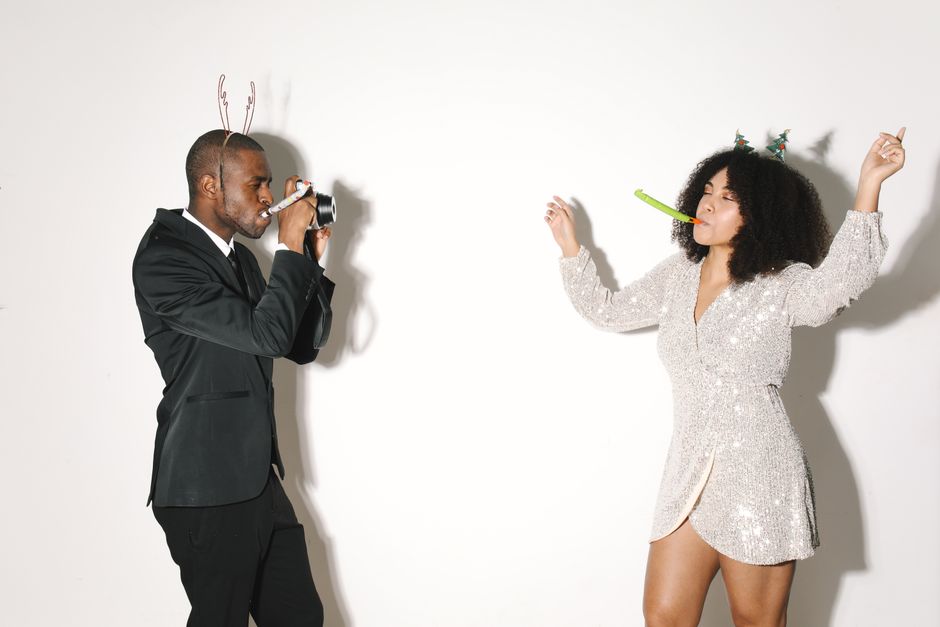
Planning and executing a corporate photo booth involves logistics, technical setup, and on-site management. Many companies find it’s worth bringing in experienced event photographers to handle the booth operation and ensure every photo meets professional standards.
This approach guarantees you won’t have quality issues, tech failures, or missed photo opportunities due to staffing gaps. The photographer manages everything from composition to lighting to keeping the line moving, so you and your team can focus on running the rest of the event.
Frequently Asked Questions
How much space does a corporate photo booth need?
Most photo booths require 8×8 feet to 10×10 feet, depending on the style. A 360-degree booth might need a slightly larger footprint. Check with your venue about available space and power access during your planning phase.
Can a photo booth integrate with our event registration or CRM system?
Yes. Many modern booths can connect to tablets or check-in systems so attendees provide their information before taking photos. The data flows directly into your event database, making lead capture seamless.
What if the internet goes down during our event?
A good backup plan includes a secondary WiFi connection or a local storage device in the booth that syncs photos once connectivity is restored. If you’re printing photos on-site, that doesn’t require internet, so it’s a solid failsafe option.
How long does setup and breakdown take?
Professional photo booth setup typically takes 1-2 hours depending on complexity and branding customization. Breakdown is usually 45 minutes to an hour. Plan for setup at least 2-3 hours before your event starts.